Most customer communication begins when someone asks for help. But some of the most useful conversations can start earlier: before a policy expires, before an appointment is missed, or after a customer stops using a service.
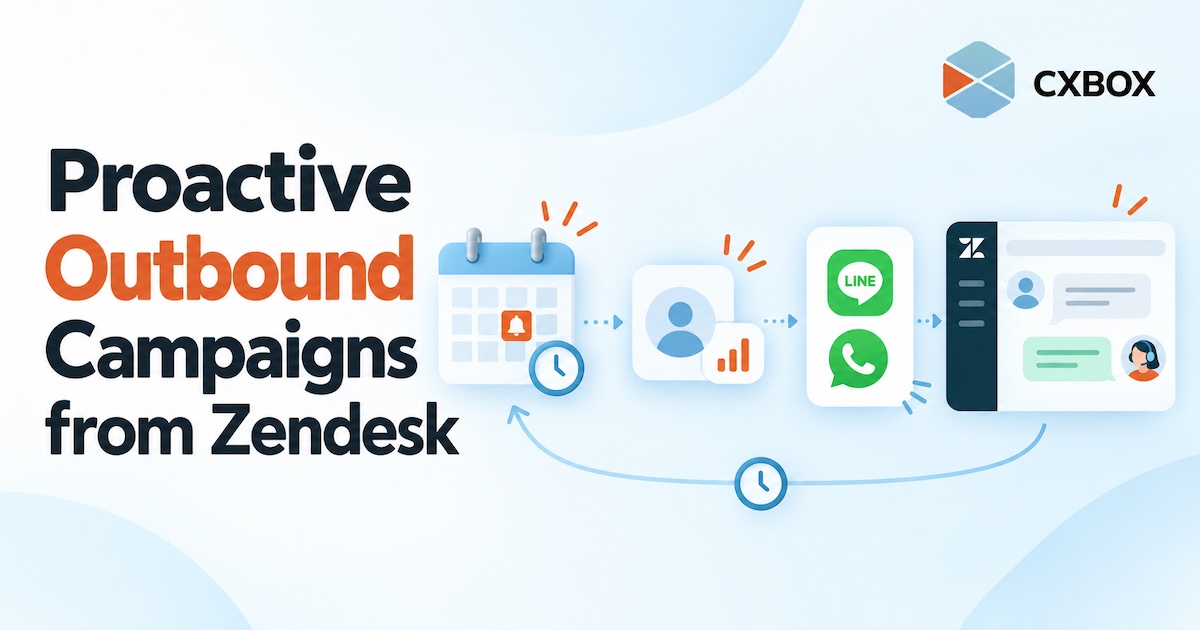
Quick answer: Use CXBOX HUB alongside Zendesk to define an eligible customer group, choose the right moment and channel, create an outbound campaign or journey, and plan how customer replies will reach your team. CXBOX HUB manages the proactive outreach; Zendesk supports the connected service conversation.
Proactive outreach is not simply a larger broadcast list. It is a message sent because something relevant is happening in the customer’s journey. The customer should be able to understand why you contacted them and what they can do next.
Where Zendesk and CXBOX HUB fit
Zendesk gives teams a place to manage customer conversations. CXBOX HUB adds audience segmentation, outbound campaign management and connections to channels such as LINE and WhatsApp. Its Zendesk Marketplace listing describes personalized outbound campaigns, engagement insights and conversation routing.
The campaign is planned and launched through CXBOX HUB, using the connected messaging channels. When a customer responds, the integration can bring that interaction into the Zendesk workflow you have configured. The actual routing should be tested before launch.

What makes a campaign proactive?
A proactive campaign starts with a useful signal, not a request to send more messages. The signal could be a known date, a customer milestone, or an action that suggests the next step. The organization then decides who should receive the message, when it should arrive, and who will handle any response.
Before a deadline
Remind eligible customers that a membership or policy renewal is approaching.
After an action
Follow up with people who expressed interest but have not completed the next step.
After a service event
Share a useful update or ask for feedback when a customer interaction concludes.
Some outreach is a one-time campaign to a selected segment. Other outreach belongs in a multi-step journey that responds to timing or customer behavior. CXBOX HUB describes support for both outbound campaigns and customer journey automation; the available triggers and actions depend on the implementation.
How to run a proactive outbound campaign
Choose one customer moment
Start with a specific event that matters to the customer. “Renewal in 30 days” is more actionable than “send a monthly promotion.” Define what useful outcome the message should create: an appointment confirmed, a question answered, or a renewal conversation started.
Build an eligible audience
Identify the customers who meet that condition. Check data quality, customer preferences, channel reachability and the permission required for the channel. A contact record in Zendesk does not automatically mean the customer can be reached on LINE or WhatsApp.
Choose the channel and message
Use the channel that fits the relationship and the message. Keep the copy specific: why the customer is hearing from you, what they need to know and what to do next. Follow each platform’s current messaging rules, templates and sending limits. For example, business-initiated WhatsApp messages may require an approved template.
Set timing and follow-up logic
Decide whether to send one campaign now, schedule it, or use a journey based on a date or customer action. Decide what should happen when someone clicks, replies, does nothing or asks to stop. Do not assume every workflow can be automated in the same way across every channel.
Prepare the Zendesk team
Make the campaign recognizable to the people who will receive replies. Set ownership, routing and an escalation path. Test with a small internal audience so the team can see the message as a customer would and verify the reply path in Zendesk.
Measure the conversation, not just delivery
Review sends, reach, clicks and replies where the channel and configuration provide them. Then look at the useful result: Did the customer confirm, complete the next step, or get their question resolved? Use those findings to refine the audience and message before expanding the campaign.

Example: a renewal reminder that can be answered
Imagine a service business with subscriptions approaching expiry. The team identifies customers due to renew in 30 days and sends a relevant message through their connected messaging channel. One customer renews immediately. Another asks whether their plan still includes a particular service. That second response needs a person or an appropriate service workflow, not another generic reminder.
By connecting outreach with the service conversation, the team can see what happened after the message and respond while the customer is engaged. The same principle applies to appointments, onboarding and re-engagement, provided the data and channel rules support the use case.
Common mistakes to avoid
- Starting with the channel instead of the customer moment. A good reason to contact someone should come first.
- Using a list that cannot be reached on the chosen channel. Verify channel identity and eligibility before sending.
- Sending without a reply plan. An outbound message can create inbound work within minutes.
- Calling every broadcast “automation.” A scheduled campaign and a behavior-triggered journey need different design and testing.
- Measuring only messages sent. Customer actions and resolved conversations tell a fuller story.
Frequently asked questions
Can I send proactive campaigns directly from Zendesk?
This article describes CXBOX HUB as the outbound campaign layer connected to Zendesk. Campaign setup and sending take place in CXBOX HUB, while the configured Zendesk workflow handles customer conversations.
Which messaging channels can CXBOX HUB use?
The CXBOX HUB Marketplace listing describes integration with channels including LINE, WhatsApp and Facebook. Availability and message formats depend on the connected accounts, plan and channel rules.
Does every campaign need a trigger?
No. A team can send a planned campaign to a selected group or create a journey that responds to dates and customer behavior. Choose the simpler approach that fits the customer moment.
Will replies automatically become Zendesk tickets?
Conversation routing and ticket behavior depend on your configuration. Test the specific channel and handoff before sending to customers.
Further reading: CXBOX HUB · CXBOX HUB on Zendesk Marketplace · Customer journey automation.